Top 10 Things to Think About When You're Vibe Coding an App for Your Fire/EMS Department
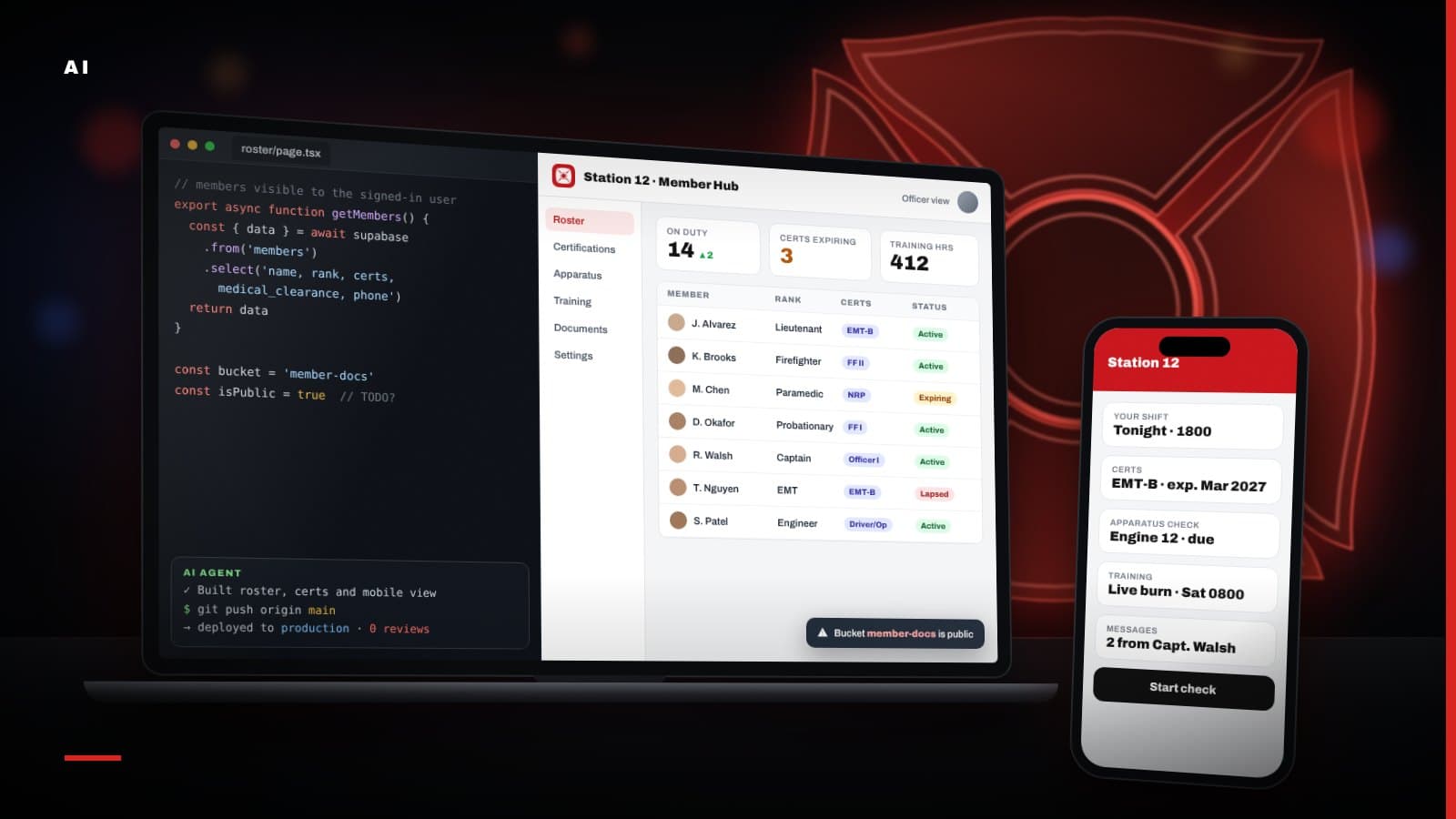
I am going to say this up front: I am vibe coding too, and I love it.
A lot of what you see on this website, including the free tools for fire and EMS departments, was built by me describing what I wanted to an AI coding assistant and working through it together. Things that would have taken a development team weeks now take me an evening. I have built dashboards, report generators and calculators that I never could have justified paying for a few years ago. It is genuinely amazing what one person with a clear idea can build right now.
And I am seeing it everywhere in the fire service. A lieutenant builds an apparatus checklist app. A volunteer who works in IT builds a duty crew sign-up tool. A training officer builds a certification tracker. Someone shows it at the company meeting, everyone loves it, and by the next week the whole department is using it.
That is the part that should make you pause.
A working app and a safe app are not the same thing.
The AI is very good at making something that works. It is not nearly as good at making something that is safe, accessible, maintainable and appropriate for a public safety organization, unless you ask it to be and you know what to check. The demo working is not the finish line. For a fire or EMS department, it is closer to the starting line.
Here is the gap in one table.
| What the AI gives you by default | What your department actually needs |
|---|---|
| Code nobody else has read | A second set of eyes on every change |
| Changes that go live the moment you push | A pull request, automated checks and a preview first |
| A login screen | Single sign-on, MFA and a clean way to remove access |
| Everyone who logs in sees everything | Roles and row level security |
| Whatever data you asked it to store | Only the data you truly need, handled under HIPAA and state law |
| A layout that looks fine on your laptop | WCAG 2.1 AA and a phone-first design |
| Keys pasted wherever they worked | Secrets in environment variables, never in the code |
Here are the ten things I think about, and that I would want any department to think about, before a vibe-coded app becomes part of how you operate.
Is Anything Reviewing the Code Besides the AI That Wrote It?
When you vibe code, the same tool that writes the code is often the only thing that ever looks at it. That is like having the person who packed the hose bed also be the only person who ever checks it.
Put a second set of eyes on every change, even if those eyes are automated. Tools like CodeRabbit review each change you make and leave comments on bugs, sloppy logic and risky patterns. Tools like Aikido scan your code and its dependencies for security problems, leaked secrets and known vulnerabilities.
None of these tools replace a human who understands the app. But they turn "nobody looked at it" into "something looked at it and flagged the obvious problems," and that is a huge step up.
One more thing: installing a review tool is not the same as having it run. Whatever you use, whether it is CodeRabbit, Aikido, GitHub Copilot code review, Snyk or something else, confirm that it is actually connected to the repository, that it runs on every pull request, and that both the code review and the security scanning are turned on. I have seen tools that were "set up" months ago and had not looked at a single change since.
Are You Pushing Straight From Your AI Tool Into Production?
This is the one I see most often. The AI writes the change, the change gets pushed, and a few seconds later it is live on Vercel or wherever the app is hosted. No branch. No pull request. No check. Your members are now testing your code for you.
Put something in between: a branch, a pull request, automated checks, a preview and a human approval, then merge.
It takes a few extra minutes per change. It also means a broken change gets caught on a preview link instead of at 2 a.m. when a crew is trying to use the app.
What Is Actually Set Up in Your GitHub Repository?
If your code lives in GitHub, that repository is now part of your department's infrastructure. Treat it that way.
ChecklistGitHub Repo Setup
- Owned by a department account or organization, not a member's personal account
- Two-factor authentication required for everyone with access
- Branch protection on the main branch
- Pull request reviews required before merging
- Dependabot turned on for outdated and vulnerable packages
- Secret scanning and push protection turned on
- Code scanning such as GitHub CodeQL on every change
- A CI workflow that runs the build, linting and tests
- Private, unless you have deliberately decided otherwise
- At least two people with admin access
Most of this is free or close to it, and all of it can be set up in an afternoon.
Then go verify each setting yourself. Do not take the AI's word that it is done.
Does Your Department Have Security Requirements?
Before you build, find out what rules already apply to you. Many departments do not have their own IT policy, but their city, county or district does. Your cyber insurance carrier may have requirements. Your state may have rules for government systems. If your app touches anything connected to law enforcement data, CJIS requirements may come into play.
Ask the questions early:
- Does our jurisdiction have an IT security policy, and does it cover apps built by members?
- Does new software need approval from IT, the chief, the board or procurement?
- Are there approved hosting providers or required data locations?
- Does our cyber insurance policy require anything specific?
- Who needs to be told if something goes wrong?
It is far easier to build to the rules from the start than to discover them after the app is in daily use and someone from the county IT office asks where the data lives.
Are You Storing Health Information or Personal Information?
This is where a fun side project can become a real liability.
| Type of data | Examples | What to think about |
|---|---|---|
| Protected health information (PHI) | Patient names tied to incidents, conditions, treatments, transports | HIPAA, Business Associate Agreements with every vendor that touches it |
| Personally identifiable information (PII) | Member addresses, phone numbers, birth dates, license numbers, emergency contacts | State privacy and breach notification laws |
| Member medical and personnel records | Physicals, medical clearances, fit tests, discipline | Need-to-know access, retention rules, HR policy |
| Operational data | Rosters, apparatus checks, training hours | Lower risk, but still department records |
If you bill for EMS or transmit health information electronically, HIPAA very likely applies to your department. That means every service that stores or processes that data, including your database, your host and possibly your AI tools, may need to sign a Business Associate Agreement with you. Many providers only offer one on specific paid plans, and plenty do not offer one at all.
The safest data is the data you never collected.
How Are People Logging In?
Ask yourself what is actually protecting the app. I have seen department tools with a single shared password written on the station whiteboard. I have seen apps with no login at all, protected only by the hope that nobody finds the link.
Neither of those is acceptable for anything holding real information.
If your department already uses Microsoft 365 or Google Workspace, use single sign-on so members log in with their department accounts. That gives you multifactor authentication, one place to manage passwords and, most importantly, a clean way to remove access. When someone leaves the department, you disable one account and they lose access to everything.
Avoid shared logins, and require multifactor authentication for anyone with administrative access.
Once They Are Logged In, What Can They See?
Logging in answers "who are you." Authorization answers "what are you allowed to do." Vibe-coded apps are often very good at the first and quietly broken on the second.
A probationary member should not be able to see every member's medical clearance. A member of one company should not be able to edit another company's roster. A regular member should not be able to make themselves an administrator by changing a value in their browser.
- Define your roles before you build: member, officer, administrator and so on
- Enforce permissions on the server or in the database, not just by hiding buttons on the screen
- Turn on row level security if you are using Supabase or another Postgres database, and write policies that limit each user to the rows they should see. Without it, the public key built into your app may let anyone read your entire database.
Lock Down Your Files, Too
Row level security protects the rows in your database. It does not automatically protect the files your app stores: member photos, scanned driver's licenses, medical clearance forms, certification cards, incident photos, signed policies. Those usually live in a storage bucket, either Supabase Storage or an Amazon S3 bucket on AWS, and buckets have their own rules.
Decide what each bucket is for before you put anything in it:
| Bucket | What belongs there | How it should be set up |
|---|---|---|
| Public | Website images, event flyers, public documents you would hand to anyone | Public read is fine. Nothing private, ever. |
| Private | Member documents, licenses, medical forms, incident photos, anything internal to your organization | No public access. Files served through short-lived signed links, only to users whose role allows it. |
A few rules that hold no matter which service you use:
- Default to private. Make a bucket public only when every file in it is meant for the whole world.
- Write storage policies. In Supabase, storage access is controlled with policies much like row level security. On AWS, keep S3 Block Public Access turned on for anything private.
- Use signed links that expire. A link to a private file should stop working after a few minutes, not live forever in someone's text messages.
- Do not rely on hard-to-guess file names. A long random file name is not security. If the bucket is public, assume the file can be found.
Are You Thinking About ADA Compliance and WCAG?
If your department is part of a city or county, or is a special district, the Department of Justice's ADA Title II rule applies to the web content and mobile apps you provide. That includes apps you build yourself, and it includes internal tools your members are expected to use, not just public-facing websites. The technical standard is WCAG 2.1 Level AA.
| Your organization | Compliance deadline |
|---|---|
| State or local government serving 50,000 or more people | April 26, 2027 |
| State or local government serving fewer than 50,000 people | April 26, 2028 |
| Any special district, including fire districts, regardless of size | April 26, 2028 |
That 2028 date sounds far away. It is not, especially if you are building new tools right now. It is much easier to build an accessible app from the start than to fix one later.
Free tools like WAVE and Lighthouse will catch a lot of the basics. But be clear about what that self-testing is and is not. It is a good start. It is not proof of compliance.
If your city, county, district or procurement office requires documentation, you may be asked for a formal accessibility audit by a qualified third party and a VPAT, the Voluntary Product Accessibility Template that documents how a product conforms to WCAG. A completed VPAT is often called an Accessibility Conformance Report. A real review means people testing every screen with screen readers and keyboards, writing up the failures, and verifying the fixes.
I wrote a more detailed breakdown of the rule in ADA Title II Web Accessibility: What It Means for Your Government Website.
Does It Work on a Phone, in the Field, With Gloves On?
Your members are not going to use your app at a desk. They are going to use it on the apparatus floor, in the cab, at the scene, in bright sunlight, at night, with a cracked screen or a weak signal.
Test it the way it will actually be used:
- Does it work on a small phone, not just a laptop with the window resized?
- Is it still usable with large text turned on in the phone's settings?
- Can you read it in bright sunlight and in a dark cab?
- What happens on a weak or spotty connection?
- Are the buttons big enough to hit quickly with a gloved finger?
Mobile and accessibility go hand in hand. Most of the things that make an app easier for a person with a disability also make it easier for a firefighter in turnout gear trying to use it in a hurry.
Where Are Your API Keys and Secrets?
AI-built apps often connect to other services: a database, an email provider, a text messaging service, an AI model. Each of those connections uses a key or password. If that key ends up in your code, in your GitHub repository or in the code sent to the browser, anyone who finds it can use it, often on your department's bill.
- Keep secrets in your host's environment variable settings, never in the code
- Make sure server-side secrets are never exposed to the browser
- Set spending limits on any paid service, especially AI and text messaging
- Rotate a key immediately if it is ever exposed, even if you deleted the commit
Bonus Round: Nine More Worth Your Time
Ten was not quite enough.
Run Cloudflare's Free Security Audit
Cloudflare recently open-sourced a security audit skill for AI coding agents. You add it to a coding agent like Claude Code, and it turns the agent into a security auditor: it maps how your app is put together and where the trust boundaries are, works through a multi-phase audit, and has separate agents independently verify each finding before it lands in the report. Cloudflare built it for its own code, where it surfaced thousands of issues.
It is free, and it is a good second opinion on top of your regular review tools. Follow the install instructions in the repository, then run it before launch and again after any big change.
Get a Human Penetration Test for Sensitive Data
Automated tools are good at finding known patterns. They are much weaker at the creative, business-logic attacks a real person will try, like chaining two small mistakes together to see another member's records.
If your app stores highly sensitive information, such as patient data, medical clearances, background checks, Social Security numbers or anything your jurisdiction classifies as confidential, hire a qualified human penetration tester before launch. Expect it to cost real money, typically thousands of dollars depending on scope. For an app holding that kind of information, it is worth it, and your IT office or insurance carrier may require it anyway.
Who Owns the Accounts?
The GitHub organization, the hosting account, the database, the domain and the billing should all belong to the department, with more than one authorized person able to get in. If the member who built it moves away, retires or leaves unhappy, the department should not lose the app or its data.
What Happens When It Breaks?
Add error monitoring so you know about problems before your members tell you, and write down who to call. Be honest about how critical the app is. A vibe-coded tool is fine for a duty sign-up sheet. I would think very hard before letting one sit anywhere near dispatch, patient care or anything a crew depends on during an emergency.
Are You Backing Up the Data, and Can You Get It Out?
Confirm that your database has backups and that you have actually tested restoring one. Make sure you can export your data in a usable format if you ever need to move it.
Have You Thought About Public Records and Retention?
If you are a government agency, the data your app collects may be a public record, and your state's retention rules may apply. Talk to whoever handles records requests for your jurisdiction before you start collecting information.
Can You Tell Who Changed What?
For training records, certifications, apparatus checks or member status, keep an audit trail of who made each change and when. It will matter the first time a record is questioned.
Are Your Public Forms Protected?
If any part of your app is open to the public, like a recruitment interest form or an event registration, add spam protection and rate limiting. Bots find open forms fast.
Who Maintains It Next Year?
Building it is the fun part. Keeping packages updated, fixing what breaks and answering questions is the part that lasts. Document how the app works, where everything lives and how to deploy it, so the next person is not starting from scratch.
The Prompt Pack
Here are the prompts from this article in one place. Copy each one into your AI coding tool and work through them in order before launch. Then do it again before any major update. Each one is a starting point, not a guarantee, so read what comes back and verify it yourself.
ChecklistBefore Your App Goes Live
- Every change is reviewed by a tool, a person or both
- Your review and security tools are actually running on every pull request
- Nothing reaches production without a pull request and passing checks
- The GitHub repo is department-owned, private and protected
- You know your jurisdiction's IT and security requirements
- You collect only the data you need, and no real PHI without a HIPAA review
- Members log in with single sign-on and MFA
- Roles are defined and enforced, with row level security on
- Private files live in private buckets, served through expiring links
- You passed the regular-member test
- You passed the keyboard-only test and a WCAG 2.1 AA audit
- You know whether a formal audit and VPAT are required, and budgeted for it
- It works on a small phone, in sunlight, with gloves
- No secrets in the code or the browser, and spending limits are set
- You ran Cloudflare's security audit, and a human pen test if the data is sensitive
- At least two people can get into every account
- Backups exist and a restore has been tested
- Someone owns maintenance for the next year
Keep Building, but Build Like It Matters
I am not trying to talk anyone out of this. The ability to build your own tools is one of the most exciting things to happen to the fire service in a long time. Departments that could never afford custom software can now build exactly what they need.
But a fire or EMS department is not a startup that can move fast and break things. You hold sensitive information about your members and your community. You have legal obligations. And people trust that the tools you use work.
So vibe code. Build the thing. Just put the guardrails around it before it becomes something your department depends on. Your future self, your IT office and your members will thank you.
Recent posts
All posts →